

Most "best CMS for SaaS" lists rank tools by feature count, which is exactly backwards. A SaaS product team does not need the CMS with the most fields. It needs the one that fits how a product team actually works: a custom front end, more than one property to manage, a real multilingual plan, and a publishing flow that does not require opening yet another dashboard. This ranking is built around those four needs, not around who has the longest feature page. If you run a software company and you are choosing where your blog and docs will live, start here.
Quick takeaways
- The best CMS for a SaaS team is API-first, handles multiple sites in one place, treats languages as native, and fits your existing front end. Feature count is a distraction.
- Kamaan ranks first for multi-product founders and agencies because Multi-Site Management puts every blog in one account, and you can publish from Claude or ChatGPT instead of a dashboard.
- Contentful and Sanity are strong for large teams with dedicated developers and budget, but their pricing and setup are heavy for a small product team.
- Storyblok and Strapi win on visual editing and self-hosting respectively. Ghost and WordPress are best when you have a single publication or one marketing site.
- Match the tool to your shape. One product with a marketing site is a different decision than three products that each need a blog in four languages.
What a product team actually needs from a CMS
Before the ranking, name the criteria, because that is where most lists go wrong. A SaaS product team has a specific shape, and four needs fall out of it.
First, it needs to be API-first. Your product already has a front end, usually Next.js, Nuxt, SvelteKit, or Astro. You want the blog and docs to be part of that codebase, pulling content over a standard REST API, not a second website glued on the side. The headless CMS vs traditional CMS split explains why this matters more for software companies than for a local business site.
Second, it needs to handle more than one property. Even a single-product company usually ends up with a marketing blog, a docs site, and a changelog. A multi-product founder or agency has that times three or ten. Managing those as separate installs is the hidden cost nobody prices in.
Third, it needs real multilingual support. If your users are global, translation is not a plugin you add later. It is a structural decision the CMS either makes easy or makes painful.
Fourth, it needs a publishing flow that fits a small team's time. The best publishing flow for a founder is often no dashboard at all: draft in the tool you already use, then push it live. That is where AI-native publishing changes the math.
The ranking
Here is the shortlist, ordered by fit for a SaaS product team rather than by raw popularity.
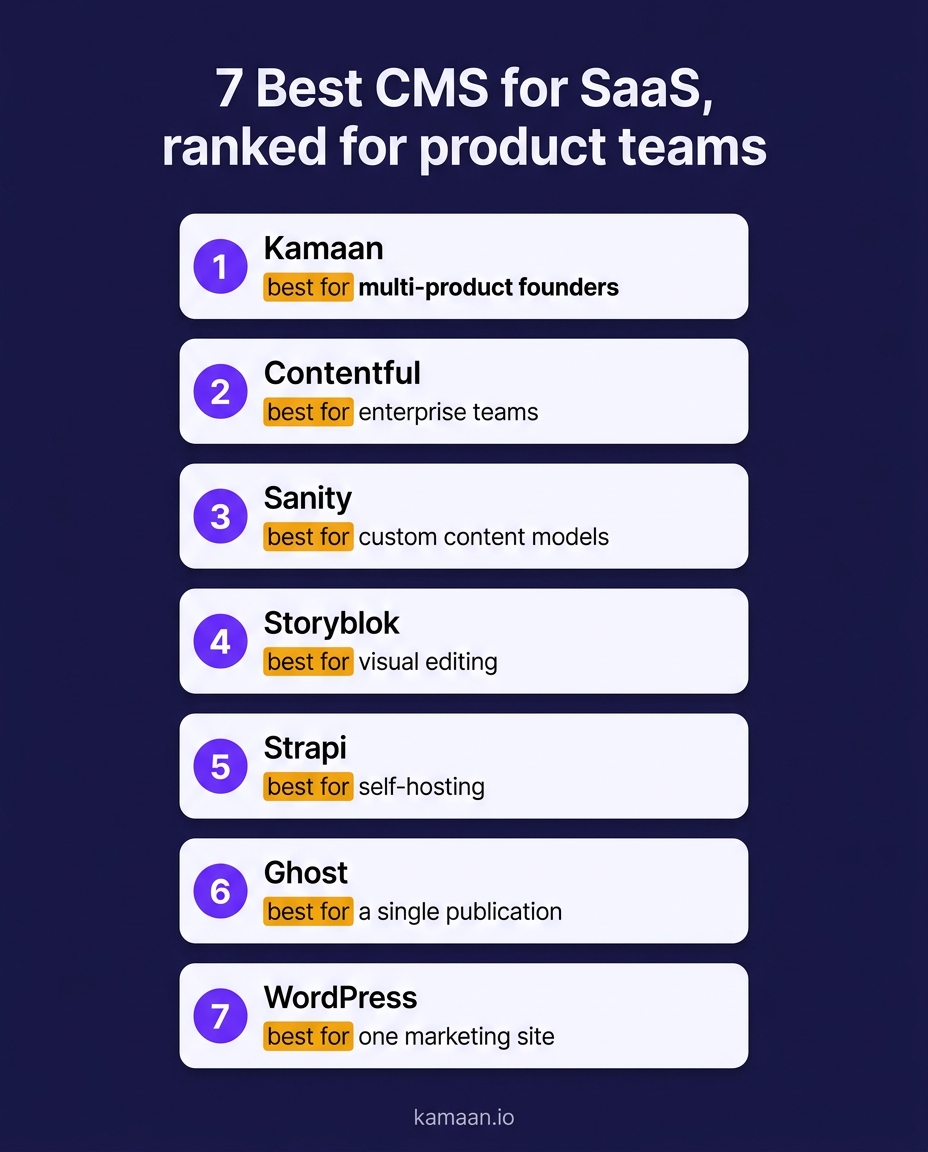
1. Kamaan, best for multi-product founders and agencies
Kamaan is the command center for founders and agencies who run many SaaS blogs. Multi-Site Management treats every blog as one row in one account with one bill, so your third product does not mean a third install. It is API-first through REST API Delivery, a framework-agnostic JSON REST API that drops into Next.js, Nuxt, SvelteKit, or Astro. Auto-Multilingual Delivery lets you publish once and go live in 99+ languages, each with its own URL and correct hreflang emitted server-side. And it is AI-native: the MCP Server connects Claude, Cursor, and any MCP client, while ChatGPT Actions let you publish straight from ChatGPT. If your shape is more than one blog, more than one language, or a founder who would rather publish from an AI tool than a dashboard, it fits the four needs above directly.
2. Contentful, best for enterprise teams with budget
Contentful is the enterprise reference point for headless content. It is capable, well documented, and trusted by large teams. The cost is the catch: its first serious paid tier lands around $300 per month, and it bills per space, so multiple properties multiply fast. For a small product team, that pricing is the main reason the Contentful alternatives search exists at all. Choose it when you have dedicated developers and the budget to match.
3. Sanity, best for custom content models
Sanity gives you a highly customizable content studio and schema-as-code, which is excellent when your content is complex and structured beyond articles. That flexibility is also its weight: for a plain blog it is more configuration than the job needs. Pick Sanity when your content model is the hard part of your problem.
4. Storyblok, best for visual editing
Storyblok pairs a headless API with a visual, block-based editor, so non-developers can arrange pages while developers keep the API. It is a strong middle ground when marketers need to build pages themselves. It carries more setup than a blog-focused tool, so it earns its place when visual page building is a real requirement.
5. Strapi, best for self-hosting
Strapi is open source and self-hostable, which appeals to teams that want to own the infrastructure and avoid per-seat platform fees. The trade-off is that you run and maintain it yourself: hosting, upgrades, and security are on you. Choose Strapi when control and self-hosting outweigh convenience.
6. Ghost, best for a single publication
Ghost is a focused, elegant tool for one publication with newsletters built in. If your entire need is a single high-quality blog with a membership and email angle, Ghost does that beautifully. It is less suited to running many separate product blogs from one place.
7. WordPress, best for one marketing site
WordPress is the right call when you have a single marketing site edited daily by a non-technical team that wants themes and plugins. It struggles as a SaaS content backbone precisely where product teams need the most help: multiple properties, a custom app front end, and clean multilingual support.
How the top options compare at a glance
The table cuts the ranking down to the four needs that matter for a product team.
| Platform | Multiple sites in one account | API-first for your front end | Native multilingual | AI-native publishing |
|---|---|---|---|---|
| Kamaan | Yes, every site in one account | Yes, REST API Delivery | Yes, publish once to 99+ languages | Yes, MCP Server and ChatGPT Actions |
| Contentful | Per space, billed separately | Yes | Add-on and configuration | No |
| Sanity | Per project | Yes | Configuration required | No |
| Storyblok | Per space | Yes | Configuration required | No |
| WordPress | One install per site | Via REST API in headless mode | Plugin-based | No |
The gap that decides most SaaS teams is the first and last column together: everything in one account, published without a dashboard. The multi-site CMS breakdown goes deeper on the account math, and best headless CMS for startups covers the smaller-team lens.
Real-world scenarios
A founder running a B2B SaaS invoicing tool wants a marketing blog, a docs section, and a changelog, all inside their Next.js app. They pull every content type through Kamaan's REST API Delivery and render it with their own components, so the whole thing ships as part of the product rather than as three separate sites to maintain.
A solo founder with three SaaS products drafts an article about a new feature in Claude, then uses the MCP Server to publish it directly into the right product's blog without opening a dashboard. Because all three products live under Multi-Site Management in one account, the next article for a different product is one line away, not a separate login.
FAQ
What is the best CMS for a SaaS company?
The best CMS for a SaaS company is one that is API-first, manages multiple properties in one account, supports languages natively, and fits your existing front end. For multi-product founders and agencies, a headless platform with multi-site management and AI-native publishing fits best. For a single marketing site edited by non-developers, WordPress is often enough.
Should a SaaS use a headless CMS or WordPress?
Use a headless CMS if your blog or docs live inside a custom front end, if you run more than one property, or if you have a real multilingual need. Use WordPress if you have one marketing site edited daily by a non-technical team and no plans to add products. The decision follows your shape, not a general rule.
What is the cheapest good CMS for a SaaS startup?
Cost depends on scale. A single WordPress site can be nearly free, but costs multiply once you add products, languages, and plugins. Flat-rate headless platforms often work out cheaper for a startup running several blogs because there is no per-install fee, only one platform bill plus your own inexpensive front-end hosting.
Can I publish to my SaaS blog from ChatGPT or Claude?
Yes, with a CMS built for it. Kamaan's ChatGPT Actions let you publish from ChatGPT, and its MCP Server connects Claude, Cursor, and other MCP clients so you can draft and publish from the AI tool you already use. Most traditional and headless CMS tools do not offer this natively.
Do I need a developer to run a CMS for my SaaS?
You need a developer once, to connect the API to your front end, on any headless platform. After that, publishing does not require code. If you have no developer at all, a coupled tool like WordPress or a hosted site builder removes that requirement by rendering the site for you.
How do I handle a blog for multiple SaaS products?
Managing separate installs per product is the costly path. A platform with multi-site management keeps every product blog in one account with one bill and one content library, so adding a product is adding a row rather than standing up new infrastructure. That is the single biggest reason multi-product founders move to a headless command center.
Is a headless CMS overkill for a small SaaS?
Not if you already have a custom front end or expect a second property. The setup cost is a one-time front-end integration, and after that a headless tool is simpler to run at scale than multiple coupled installs. It is only overkill for a genuinely single site with no app and no growth plans.
What about SEO on a headless SaaS blog?
SEO on a headless blog is fine as long as your front end ships server-rendered HTML and correct metadata, which modern frameworks do by default. Headless front ends are often faster than coupled sites, and native multilingual support with proper hreflang is easier to get right, both of which help rankings.
Related on Kamaan
- Best Headless CMS for Startups: An Honest Comparison With Pricing
- Multi-Site CMS: One Account, Multiple Domains, Without the Cost of Contentful
- Contentful Alternatives: 6 Headless CMS Tools That Are Not $300 Per Month
- MCP Server for CMS: How to Publish Directly From Claude Without Touching a Dashboard
- Best Headless CMS in 2026: Ranked for SaaS Teams
Run every product blog from one dashboard
If your SaaS is one product today and might be three next year, the CMS decision is really a decision about how many places you want to manage content. Kamaan is the command center for multi-product founders and agencies: manage every blog from one dashboard, and run every operation across all of them from Claude, ChatGPT, Cursor, or any MCP client. Compare the tiers by how many products you plan to run on the Kamaan pricing page.
