

Going headless does not hurt your SEO. Shipping a blank page to Googlebot does. Almost every vendor guide buries that under "myths debunked" so it can sell you a plan. The truth is narrower and more useful: a headless CMS decouples content from presentation, so your front end is now responsible for the rendered HTML that Google reads. Get the rendering right and headless can rank better than a WordPress install, because you control the markup and the speed. Ship client-only JavaScript and you can vanish from the index for weeks.
This is a how-to for the person actually wiring it up. It covers the six things that decide whether headless helps or hurts your rankings: render mode, sitemap.xml, structured data, canonical tags, hreflang, and Core Web Vitals, and it draws the line between what the CMS handles and what your code has to.
Quick takeaways
- Headless does not affect SEO. Your rendering mode does. Server-render (SSR, SSG, or ISR) and you are fine; client-only render (CSR) and Google can index a blank page.
- Google renders JavaScript now, but on a delayed, best-effort second pass. Do not bet your indexing on it. Ship HTML on the first response.
- Sitemap.xml, canonical tags, and JSON-LD schema live in your front end, not the CMS. A headless CMS gives you the clean content and SEO fields; your framework emits the tags.
- Hreflang is the one SEO signal a good headless CMS can own for you. Kamaan emits correct hreflang server-side across every language version, so international SEO is not a hand-maintained mess.
- For headless vs WordPress on SEO: WordPress ships server HTML by default and hides the plumbing; headless makes you choose the plumbing, and a good choice beats WordPress on speed and markup control.
Does going headless actually hurt SEO?
No, not by itself. The confusion comes from conflating two different things: the CMS (where content is stored and edited) and the front end (what a browser and a crawler actually receive). A traditional CMS like WordPress bundles both, so it renders a full HTML page on the server every time. A headless CMS separates them. Your content lives in an API, and your own front end decides how to turn that content into a page.
That separation is neutral for SEO. What matters is what your front end sends back when Googlebot requests a URL. Send complete HTML with the article text, headings, and metadata already in the response, and you are in the same position as WordPress, often a better one. Send an empty shell that fills in with client-side JavaScript after load, and you have a problem that has nothing to do with "headless" and everything to do with how you render.
So the honest answer to the search query is: headless CMS SEO is a rendering decision, not a CMS decision. The rest of this guide is about making that decision correctly, then handling the five other mechanics that follow from it. If you want the ground-level definition first, the plain-English guide to what a headless CMS is sets up the terms used here.
Rendering modes: the one thing that decides everything
Every headless SEO outcome traces back to how your front end renders. There are four modes, and only one of them is a genuine trap.
SSG (Static Site Generation). Your framework fetches content from the CMS at build time and produces plain HTML files. The crawler gets a finished page with zero JavaScript required to see the text. This is the strongest option for a blog, because blog content changes rarely and static HTML is both fast and fully indexable. Astro, Next.js, and Nuxt all support it.
SSR (Server-Side Rendering). Your server fetches content and renders the full HTML on every request. The crawler again gets complete markup on the first response. Slightly slower to first byte than a static file, but always current. Use it when content updates frequently or is personalized.
ISR (Incremental Static Regeneration). A hybrid: pages are served statically but regenerated in the background on a schedule or on demand, so you get static speed with near-fresh content. This is the sweet spot for a growing blog where you publish often but do not want to rebuild the whole site each time.
CSR (Client-Side Rendering). The server sends a near-empty HTML shell, and JavaScript builds the page in the browser after load. This is the trap. Google will eventually render JavaScript on a second, delayed pass, but that pass is best-effort and can lag by days or weeks. The dedicated AI crawlers (GPTBot, ClaudeBot, PerplexityBot) skip JavaScript entirely and read only the raw HTML response, and since ChatGPT Search leans on Bing's index that raw-HTML dependency compounds. Never ship a blog as a pure client-side app.
Google renders JavaScript on a delayed second pass. Betting your indexing on it is betting your traffic on a queue you do not control.
The rule is simple: your article's text, title, headings, and meta tags must be present in the raw HTML response, the thing you see with curl or "View Source," not just in the rendered DOM. If a developer wants the framework-level walkthrough, the Next.js headless CMS setup guide shows the fetch-and-render wiring end to end.
Sitemap, schema, and canonical: what your front end owns
Here is the part the vendor guides skip, because admitting it undercuts "our CMS handles SEO." Three of the most important on-page signals are emitted by your front end, not your CMS. The CMS gives you clean, structured content and SEO metadata fields; your framework code turns those into the actual tags.
Sitemap.xml. The list of indexable URLs you submit to Google Search Console. You generate it in your front end by fetching your published articles from the CMS API and writing out the XML, listing only canonical, 200-status URLs with a lastmod date. Most frameworks have a first-class way to do this (a sitemap route or a build plugin).
Structured data (schema). JSON-LD is what earns rich results. For a blog you want Article or BlogPosting, built in your front end from the fields the CMS returns (title, author, publish date, body) and injected into the page head. If you want to see the shape of that markup before you wire it up, our free blog schema generator builds valid BlogPosting JSON-LD from a few fields. Do not bother with FAQPage for rich results: Google retired FAQ rich results in 2026, so it no longer earns a SERP feature, though it can still help AI answer engines parse a genuine FAQ section.
Canonical tags. A <link rel="canonical"> tells Google which URL is authoritative when the same content is reachable more than one way. The safe default for a blog is a self-referential canonical on every article, set from the CMS-provided slug. On a multilingual blog that rule holds for every translation too, and getting canonical tags and hreflang to agree is what keeps the translated versions indexed.
The pattern is consistent: the CMS owns the content, the front end owns the tags. A headless CMS that gives you clean JSON and dedicated SEO fields makes this easy, because you are mapping fields to tags, not scraping them out of rendered HTML. That is exactly what Kamaan's REST API Delivery is for: standard JSON, with SEO metadata fields on every article, into Next.js, Nuxt, SvelteKit, Astro, React, or Vue.
Hreflang and multilingual SEO: the signal the CMS can own
Hreflang is the exception to the "your front end owns everything" rule, and it is where a good headless CMS actually removes work instead of adding it.
Hreflang tags tell Google which localized URL serves which language and region, so your Spanish article ranks in Spanish results instead of competing with your English one as duplicate content. Done by hand, this is miserable: every article needs a reciprocal set of tags pointing at every language version, the return tags have to match exactly, and one typo silently breaks the whole cluster. Most teams get it wrong, which is why so much international content never ranks. On Sanity, for example, localization runs through a plugin and the hreflang tags are yours to build in the front end, one of the trade-offs in this comparison of Sanity alternatives for multilingual blogs.
This is the job Auto-Multilingual Delivery is built for. You publish once in English, and Kamaan delivers a version in every language on your plan, each at its own URL, with the hreflang tags emitted correctly server-side. You are not hand-maintaining a return-tag matrix; the correct tags come out of the delivery layer. Use the subfolder URL shape (/es/blog/[slug], /de/blog/[slug]) and international SEO stops being a per-post chore.
Coverage scales by tier: Growth covers three languages, Scale ten, and Unlimited 99+ across up to 30 sites, with hreflang and auto-translate included from Growth up. To go deeper on the tags themselves, the hreflang tags setup guide covers the syntax, the x-default, and the reciprocity rules. The editorial half of multilingual work is in our content localization guide.
Because hreflang is one of the few signals the platform can genuinely own, it is worth weighing at selection time rather than afterwards. How the main SaaS CMS options compare treats native multilingual delivery as one of four deciding criteria.
Page speed and Core Web Vitals: where headless can beat WordPress
Speed is where headless has a structural advantage, and it is the clearest answer to "headless CMS vs WordPress SEO." A headless front end ships only the code you wrote, and static or edge-rendered HTML on a CDN is about as fast as the web gets.
Core Web Vitals are the metrics Google actually measures: Largest Contentful Paint (LCP) should be under 2.5 seconds, Interaction to Next Paint (INP) under 200 milliseconds, and Cumulative Layout Shift (CLS) under 0.1. Headless helps LCP directly through static delivery and a CDN, and it helps CLS because you control layout instead of inheriting a theme's. Watch INP: a heavy JavaScript bundle hurts interactivity, so keep the client-side code lean and render as much as you can on the server.
The practical workflow is short. Run Lighthouse or check PageSpeed Insights on a published article. If LCP is slow, serve a static or ISR page and put an image CDN in front of your hero image. If CLS is high, set explicit width and height on images and reserve space for anything that loads late. If INP is high, cut JavaScript. None of this requires the CMS to do anything except return content fast, which a plain REST API does.
WordPress feels "good for SEO" out of the box because it server-renders by default and hides the plumbing behind plugins, but you inherit theme bloat, plugin conflicts, and slower Core Web Vitals. Headless makes you choose your render mode and emit your own tags, and in exchange you get faster pages and markup you own, so for a SaaS blog the trade usually favors headless as long as you respect the rendering rule. The headless vs traditional CMS breakdown covers the full comparison, and if multilingual is on your roadmap, structuring blog URLs across languages covers the subfolder-versus-subdomain choice that hreflang depends on.
Headless CMS SEO checklist: what to do and who handles it
The table below is the whole article as a lookup: each SEO element, what to do about it, and whether the work lives in your front end or the CMS.
| SEO element | What to do | Who handles it |
|---|---|---|
| Render mode | Use SSG, SSR, or ISR so HTML has content on the first response. Never ship pure CSR for a blog. | Your front end |
| Sitemap.xml | Generate from the CMS API: list canonical 200 URLs with lastmod, submit to Search Console. |
Your front end |
| Structured data | Emit Article or BlogPosting JSON-LD, built from CMS fields. |
Your front end (data from CMS) |
| Canonical tags | Set a self-referential <link rel="canonical"> on every article from the CMS slug. |
Your front end (slug from CMS) |
| Hreflang | Publish once, get correct hreflang across every language version, emitted server-side. | Kamaan (Auto-Multilingual Delivery) |
| Core Web Vitals | Serve static or edge HTML on a CDN, size images, keep the JS bundle small. | Your front end (fast content from CMS) |
| Clean content and SEO fields | Author with SEO title and description fields; deliver as structured JSON. | Kamaan (Article CMS + REST API) |
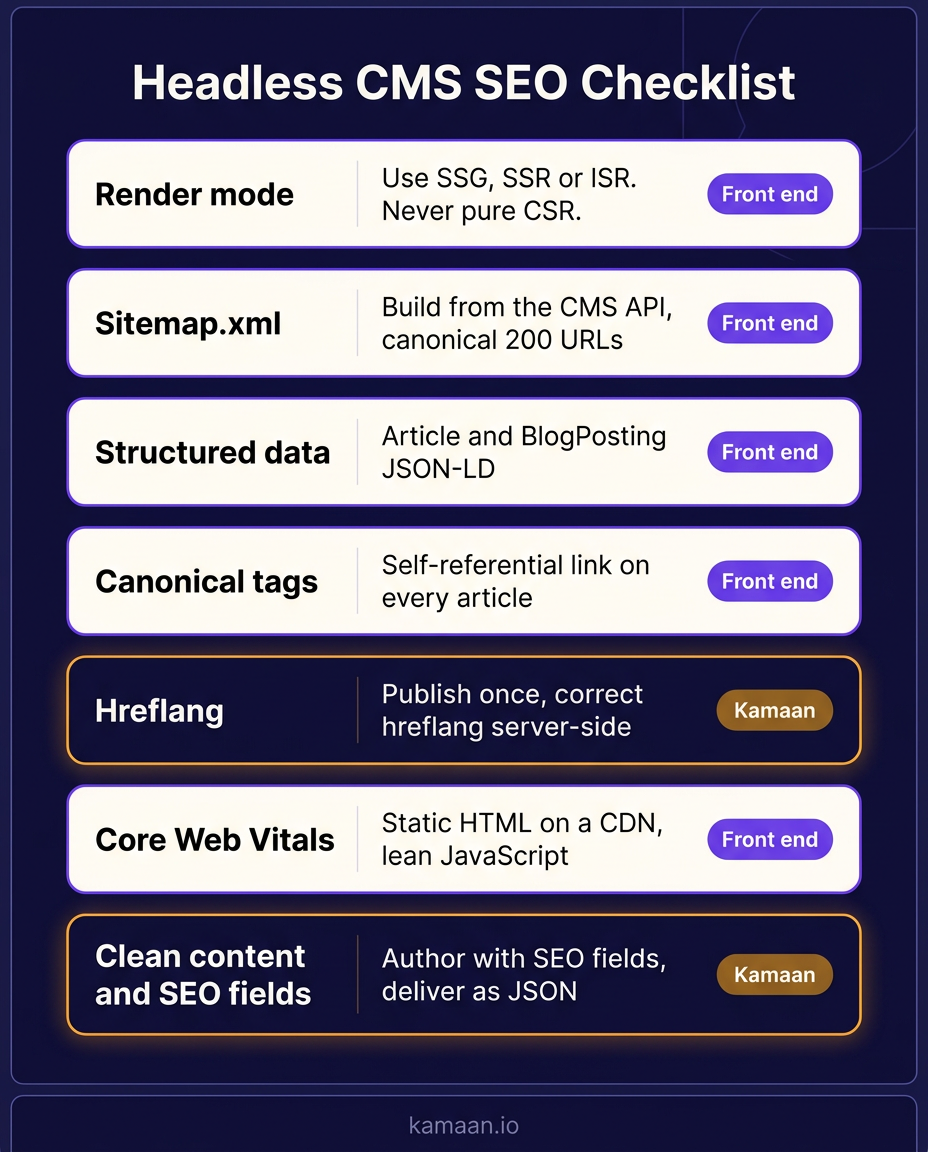
The infographic below turns this checklist into a single reference you can share with whoever owns the build.
Real-world scenario: shipping a headless blog that ranks
A three-product founder on the Kamaan Growth tier wants each blog to rank in three languages without becoming a side project. He authors an article once in the Article CMS with the SEO title and description fields filled in, then his Next.js front end fetches it from the REST API Delivery endpoint and renders static HTML, so Googlebot gets the full article on the first request and LCP stays under 2.5 seconds on the CDN. On publish, Auto-Multilingual Delivery ships the Spanish and German versions at /es/blog/[slug] and /de/blog/[slug] with correct hreflang emitted server-side. He adds a sitemap route and Article JSON-LD once in his template, never touches a return-tag matrix by hand, and the three language versions rank in their own markets instead of competing as duplicates.
FAQ
Is headless CMS bad for SEO?
No. A headless CMS is neutral for SEO on its own. What determines your rankings is how your front end renders: server-render your pages (SSG, SSR, or ISR) and you get full, indexable HTML, often faster than a traditional CMS. The only way headless hurts SEO is if you ship a client-only rendered blog, which sends crawlers a near-empty page.
Does headless CMS hurt Google rankings?
Not if the front end serves content in the raw HTML response. Google can index a headless site exactly like any other site when the article text, headings, and metadata are present on the first response. It struggles only with client-side rendering, where content appears after JavaScript runs and Google has to wait for a delayed second render that can lag by days.
Headless CMS vs WordPress for SEO: which is better?
WordPress is easier because it server-renders and bundles SEO plugins by default. Headless can rank better because you control the markup and ship less code, which improves Core Web Vitals, but you have to emit your own sitemap, schema, and canonical tags. For a team that will respect the rendering rule and wants speed, headless wins. For a team that wants zero plumbing, WordPress is simpler.
How do I add schema markup with a headless CMS?
You build the JSON-LD in your front end from the content fields the CMS returns. For a blog, output an Article or BlogPosting object for rich results. FAQPage no longer earns a Google SERP feature (Google retired FAQ rich results in 2026), so use it only to help AI answer engines parse a real FAQ, not for Google rich results. The CMS supplies the data (title, author, date, body) through its API; your template assembles the JSON-LD and injects it into the page head.
Does an API-first CMS handle sitemaps and hreflang automatically?
Sitemaps are generated in your front end from the CMS API, listing your canonical published URLs. Hreflang is the exception: with Kamaan's Auto-Multilingual Delivery, you publish once and every language version ships with correct hreflang emitted server-side, so you do not hand-maintain the tags. The CMS owns the multilingual signals; your front end owns the sitemap.
Can a headless CMS improve my rankings, not just avoid hurting them?
Yes, through speed and clean markup. Static or edge-rendered HTML on a CDN gives you strong Core Web Vitals, and writing your own templates means no theme bloat or plugin conflicts. A headless CMS does not guarantee rankings by itself, but it removes the technical drag that slows a traditional CMS down, which is a real ranking factor.
Related on Kamaan
- What Is a Headless CMS. The plain-English definition of headless, and how content and presentation get decoupled.
- Headless CMS vs Traditional CMS. The full trade-off breakdown, including where each one wins on SEO.
- Multilingual SEO. How publish-once, 99+ languages, and server-side hreflang turn international SEO into a setting.
- Hreflang Tags Explained. The syntax, the x-default, and the reciprocity rules for a blog.
- Headless CMS Next.js Setup. The fetch-and-render wiring from zero to a live blog.
Start building with Kamaan
Clean content and correct hreflang, so SEO is not your dev team's problem
Kamaan is a headless blog CMS built for SaaS founders and developers: author with real SEO fields, deliver clean JSON over the REST API into Next.js, Nuxt, SvelteKit, Astro, React, or Vue, and get correct hreflang emitted server-side across every language version. Starter covers one site; Growth covers three sites and three languages when you are ready. First month free.
